 iphone-release.com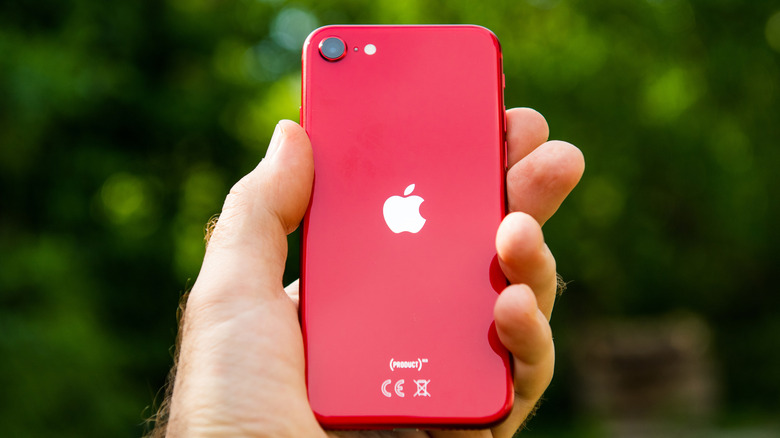
For Apple fans on a budget, the Cupertino giant is said to be quietly gearing up to launch its next-generation affordable iPhone. Slated for release by the end of the first quarter of 2025, the iPhone SE 4 promises to blend affordability with cutting-edge technology, borrowing features from Apple’s flagship lineup. If the rumors are true, this upcoming iOS device could redefine what it means to be a budget smartphone in this day and age.
Apple’s iPhone SE series has never adhered to a consistent release schedule. The first-generation SE debuted in 2016, followed by the second generation in 2020, and the third generation in 2022. While this irregular timeline may frustrate those who want to upgrade yearly, it caters to consumers who do not necessarily follow the trends, but want more bang for the buck when it’s time for them to grab a new, affordable iPhone.
The sporadic release of the iPhone SE series has helped build hype for the newer models, and given the tech giant more time to carefully pick out what flagship features should be included in the next iteration. Within the three-year gap before the iPhone SE 4’s anticipated release, numerous reports, analyst notes, and leaks have emerged. All of which are hinting at a design overhaul, along with the possible upgrades and new features coming with the budget-friendly device to make it stand out next year.
New look, same budget-friendly appeal
From the get-go, the iPhone SE series has been marketed to budget-conscious consumers. To keep costs down, Apple has relied on sourcing the outdated designs and features of the flagship iPhone models. Interestingly, the company is rumored to be taking bold steps forward with its 2025 SE device, starting with the removal of the home button. This long-overdue move will give way for the new iPhone SE to finally embrace a more modern look.
Since 2017, Apple has no longer outfitted its flagship iPhones with a home button — a deliberate choice since it switched to the edge-to-edge OLED display for the iPhone X. Six years later, the Cupertino giant is reportedly bringing this design change to its affordable phone. The rumor that the iPhone SE 4 will not have a home button strongly suggests an overhaul that would involve ditching the 4.7-inch LCD screens of its predecessors for a bigger OLED display, with sources claiming it to be 6.1-inch in size.
In terms of form factor, reports from MacRumors say fans can expect a modified version of the iPhone 14’s chassis. If true, the iPhone SE 4 will mark the departure of thick bezels — something that bodes well with the earlier speculation of an edge-to-edge display. Additionally, this appears to confirm the rumored inclusion of a notch and Face ID, which came as standard with the iPhone 14 onward. But considering these premium features are coming to a budget phone, Apple will likely cut corners with its implementation.
Upgraded camera and more borrowed features
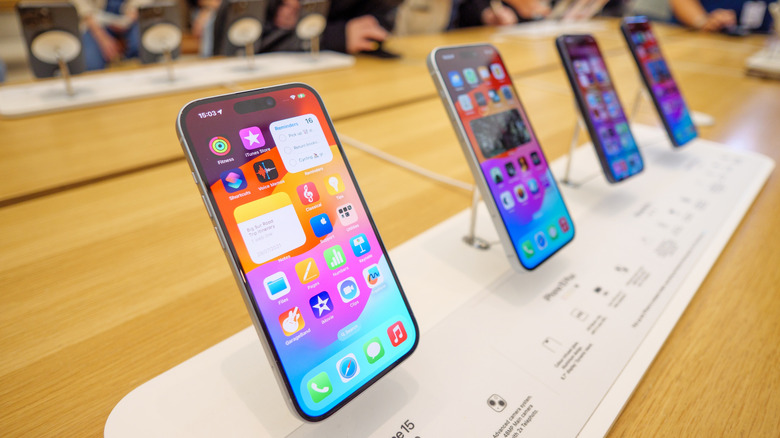
While the iPhone SE 4 is likely taking cues from the iPhone 14’s design, multiple sources say it’s borrowing some features from newer flagship models. For instance, instead of sporting the 12-megapixel camera lens from the iPhone 14, the SE-branded sequel is reportedly debuting with the iPhone 15’s 48-megapixel, single-lens rear camera. The absence of the ultra-wide and telephoto lenses will be compensated by Apple’s Fusion camera technology, which supports 2x optical-quality zoom.
Putting a bigger battery in the device is also expected, considering the larger display and the inclusion of battery-intensive upgrades such as Face ID, the advanced camera system, and Apple Intelligence. Yes, the company’s AI-powered toolkit is reportedly coming to the next-generation SE. Introduced with the iOS 18.1 software update in mid-2024, these features are currently exclusive to the iPhone 16 series. However, Bloomberg reports that the iPhone SE 4 will incorporate them via a newer A-series chip to deliver a smarter and more efficient user experience.
The iPhone SE 4 is also expected to adopt the USB-C port and Action button, mirroring the changes made with the iPhone 15 series. Lastly, there’s word that the budget phone will launch with Apple’s in-house 5G modem amid the company’s bid to reduce its reliance on Qualcomm. Given the significant upgrades, analysts predict the iPhone SE 4 may come with a higher price tag. However, this increase could still prove affordable for budget-conscious buyers, especially with the inclusion of advanced features that rival flagship models.
Source: http://www.slashgear.com/1734140/iphone-se-4-rumors-features-apple-next-budget-phone/
You may also like

