 iphone-release.com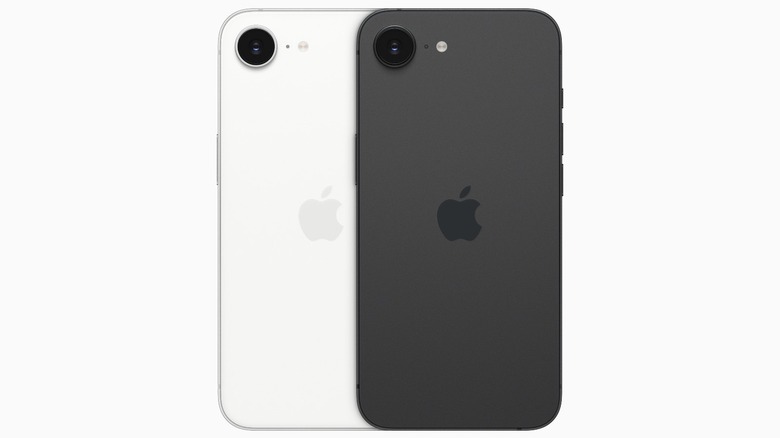
In a surprise mid-February reveal, Apple launched its latest smartphone, the iPhone 16e, today. iPhones have a reputation as premium devices, but for those on a tighter budget, Apple occasionally releases a more modest phone — in recent years, the SE line — that won’t break the bank. As expected, the new iPhone 16e makes some strategic downgrades compared to the regular iPhone 16 lineup in order to keep the price comparatively low while still providing customers with the iPhone experience — you may only get one camera on the back, but you also get a comfortable $599 price tag.
The iPhone 16e appears to mark the end of the line for the SE models, the latest of which was released back in 2022 — meaning this new offering is a significant upgrade for anyone who wants a cheap iPhone but can’t bear the previous iPhone SE’s lackluster specs. Apple has done a lot to modernize its budget-friendly model, completely changing the design of the device away from that of the SE, giving it a bigger, better screen, a modern processor, and even updating connection standards to keep it future-proof. Here’s everything you need to know about the brand new iPhone 16e.
iPhone 16e brings USB-C and ditches the home button at last
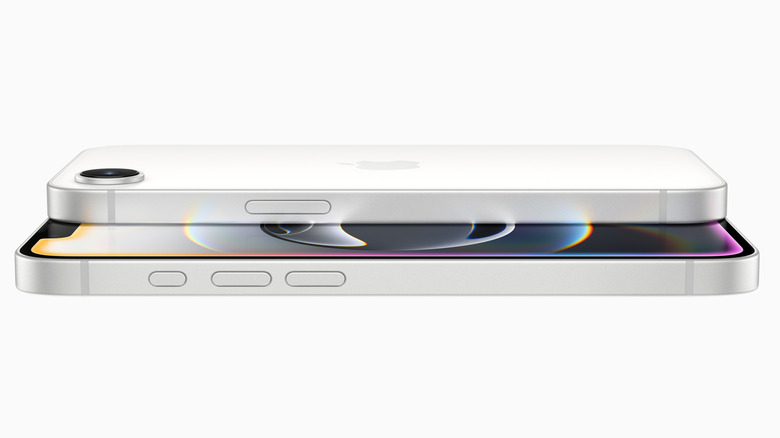
The iPhone 16e, as you’d expect given its name, shares the same general aesthetic as the regular iPhone 16 lineup, with the first and most immediate deviation being the single camera lens on the back. Despite that, Apple’s latest budget handset brings many modern features to the table, including a charging connector switch from Lightning to USB-C, access to the company’s Apple Intelligence features, the Action button that recently replaced the switch, and support for recording videos at up to 4K / 60 fps with Dolby Vision.
Buyers will get access to the A18 chip, with 4 GPU cores, 6 CPU cores, and 16 Neural Engine cores. Apple claims the model’s hardware can handle “graphically demanding AAA titles” for mobile gaming, ultimately giving users up to 80% faster CPU performance when compared with the iPhone 11’s A13 Bionic. The hardware is also sufficient for powering certain ML algorithms that, among other things, will work to cut down on unwanted noise when recording videos. Siri, meanwhile, provides users with access to ChatGPT as part of the overall Apple Intelligence package, plus there’s access to Apple’s relatively new Image Playground AI image generator app and Writing Tools.
The iPhone 16e brings a major hardware ‘first’ for Apple
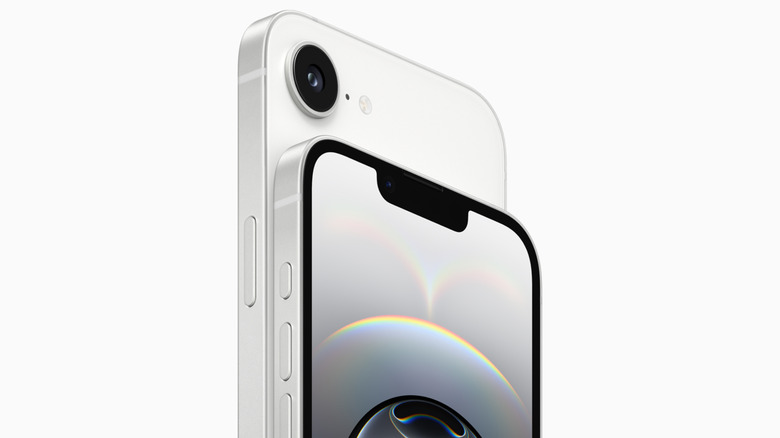
There’s a lot to like about the hardware packed in the iPhone 16e, not the least of which is its support for satellite, the IP68 rating, Ceramic Shield front cover, and 6.1-inch Super Retina XDR OLED display with HDR support. There’s Face ID via the TrueDepth camera system, as well as sufficient battery capacity to get you “up to six hours longer than the iPhone 11” — that should put it at around a full day of usage before you need to plug it back in.
Most interesting in the iPhone 16e, however, is a milestone for Apple: the first modem it has designed, called the C1. This offering is, according to the company, the most efficient modem offered in any iPhone model to date, facilitating 5G connectivity without excessive battery drain. The use of the C1 modem follows years of rumors about such plans.
The base tier iPhone 16e model sports 128 GB of storage and a $599 price tag — or $24.95 per month if you pay in monthly installments. Both 256 GB and 512 GB storage capacities are also available. The model is only offered in black and white color options, however. Preorders in many markets, including the US, start on February 21 at 5 a.m. PT / 8 a.m. ET.
Source: http://www.slashgear.com/1793930/apple-iphone-16e-announced-colors-price-release-date-details/
You may also like

