 iphone-release.com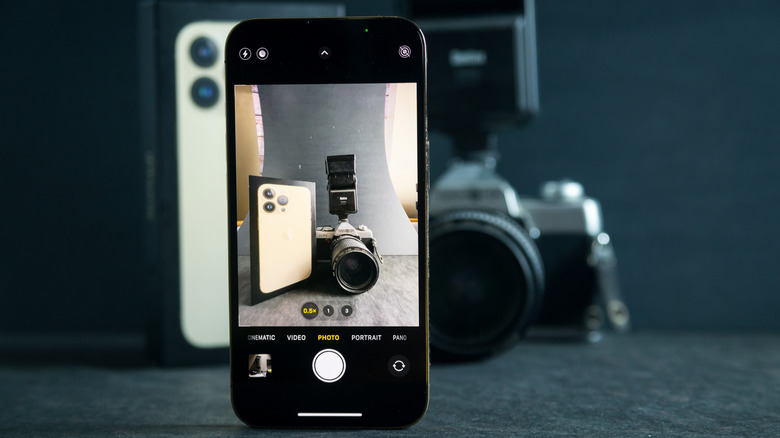
You can debate whether the Earth is flat, if we really landed on the moon, or even if pineapple belongs on pizza — some arguments cannot be settled. But if there’s one thing that’s beyond any dispute, it is the consistently outstanding quality of the iPhone camera. With every new model, it just keeps getting better, and it’s a huge part of why so many people trip over themselves to upgrade every year. However, while the built-in Camera app is beyond fantastic for everyday shots, it can feel limiting if you want more creative control.
Fortunately, there’s a whole world of alternate camera apps for turning your iPhone into a professional-grade photography and filmmaking tool. These apps give you control over your shots, let you tweak focus areas, adjust color-grading, ISO, and shutter speed to nail the perfect shot. In this article, we dissect a curated list of the best alternate camera apps for the iPhone, each one with a stellar rating on the App Store that can help you bring out your A-game.
Halide Mark II – Pro Camera
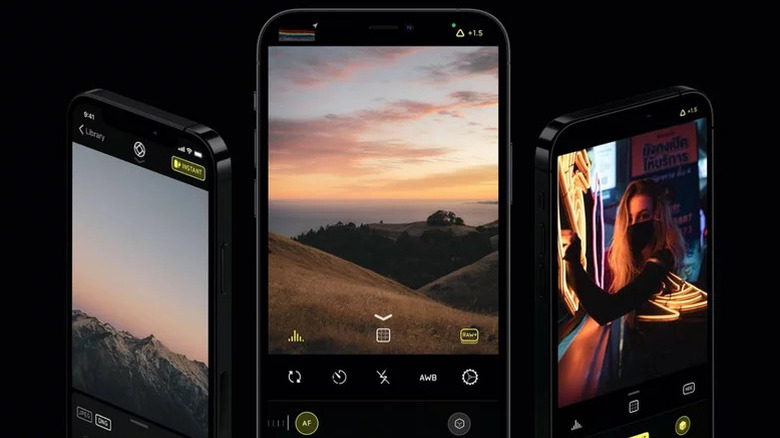
If you’ve ever wanted to turn pro but haven’t had the budget to splurge on expensive camera equipment, then the Halide Mark II app was made for you. It’s smart, feature-packed, and easy to use, making it a go-to choice for photography enthusiasts. Basically, it’s a massive upgrade over the stock iPhone camera app. As a top-rated app in both the iOS and iPadOS app stores, Halide is the proud recipient of the Apple Design Award and the Editors’ Choice Award.
Halide lets you shoot in macro (without a macro lens!), ProRAW (also supported natively), and even RAW. You can make the most of professional features like focus peaking, manual depth capture, and histograms, and can even make the app adapt to your style by customizing gesture-based controls. In addition to the default Apple image processing, you can also leverage the power of Halide’s built-in Process Zero algorithm for more natural shots.
Another great thing is that Halide is super accessible since it directly integrates with widgets, shortcuts, and even the Apple Watch for remote shooting. The entity takes privacy very seriously — they don’t collect user data, use activity trackers, or rely on third-party libraries. Unfortunately, every rose has its thorn, and Halide Mark II’s is a $10 monthly bill. Fortunately, you can avail a limited seven-day free trial to test out the app and decide if the prick is worth it.
Pro Camera by Moment
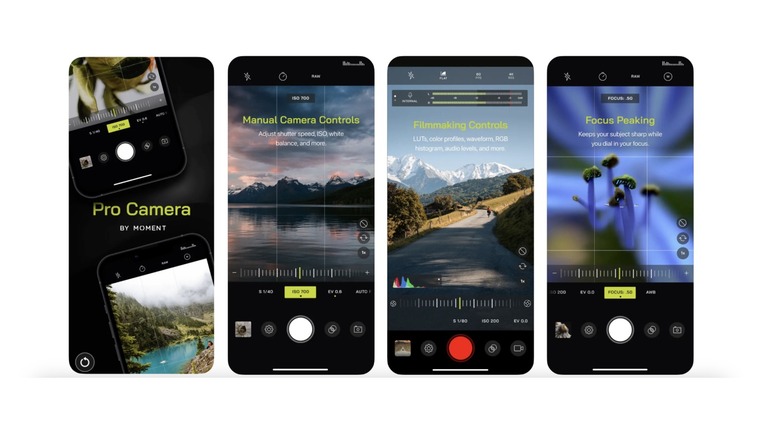
At the time of writing, Pro Camera is sitting pretty at the top rank of the App Store’s Photo & Video category — proof of the amazing experience it delivers to filmmakers and photographers. It’s the ultimate manual camera app for iPhone and iPad, offering unlimited creative control and making even the most sophisticated features a breeze to use. If by a twist of fate an Android user has found their way to this article — first of all, welcome, brave traveler. Second, bad news: Moment has discontinued the Android version of this app, so you’re out of luck of luck with this one.
Pro Camera packs a punch with advanced tools such as focus peaking, split focus, and a gyroscope to keep your shots perfectly level. Plus, it lets you shoot in both RAW and ProRAW for maximum editing flexibility, and in TIFF if you need high quality printing. Filmmakers can utilize color spaces, bitrate control, dual-channel audio meters, and even waveforms to shoot the perfect video.
The in-app learning resources are fantastic for anyone starting out in the world of photography and filmmaking, and they’ll have you shooting like a pro in no time. The app comes with a handy Apple Watch counterpart, letting you use your watch as a remote control for snapping photos and recording videos. Pro Camera is available on the App Store for a one-time fee of $8.99. Not bad for number one, is it?
Kino – Pro Video Camera
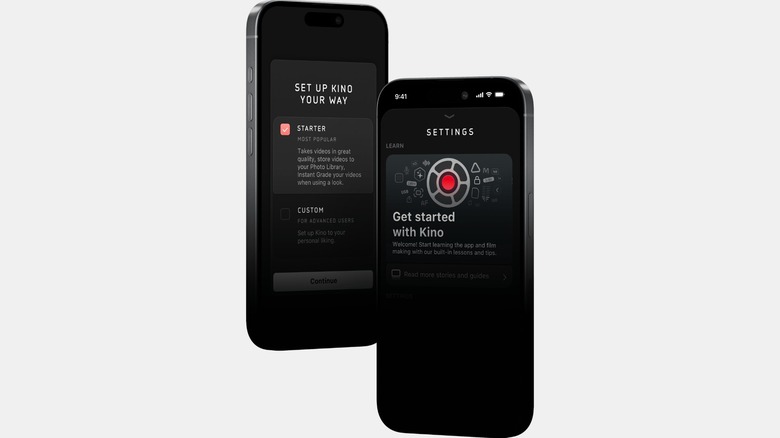
Make way, everyone — The 2024 iPhone App of the Year has entered the chat. The Kino – Pro Video Camera app turns your iPhone into a filmmaking powerhouse, winning hearts with its perfect blend of simplicity and power, making cinematic video creation accessible to everyone. And if you’re a beginner still figuring out which way to hold the camera or what “shutter angle” means, it even has free in-app lessons. Lots of them.
Kino greets users with a beautiful, simple-to-use interface bursting with raw power. Newbies can use AutoMotion to create smooth professional videos with automatic shutter angle optimization. When it’s time to edit, just tap into the Instant Grade feature, loaded with cinematic color presets crafted by pros like Tyler Stalman.
For professionals, Kino offers everything you need to shoot with perfection. With advanced manual controls, you’re in the driver’s seat; adjust ISO, shutter speed, and focus with tools like RGB waveforms and focus peaking. Plus, pick from 18 stunning color grades or import your own custom LUTs for pro-level color grading. You can choose to shoot in the 4K 60FPS Apple iPhone 15 Pro format or use other presets for additional control.
Kino also steps up your file management game, letting you smartly organize and store your work directly in the Files app for easy access and a simpler workflow. And just like every great app, user privacy is at the top of its priority list.
NightCap Camera
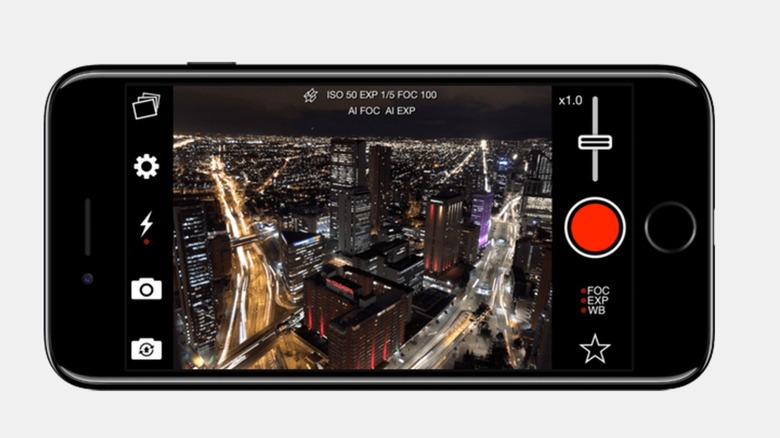
Frustrated with your iPhone’s struggle to capture low-light night shots or the night sky’s beauty? You’re not alone. Our night sky shots often end up looking like footage from a ’90s sitcom. Meet NightCap Camera, a specialized alternative camera app that transforms your iPhone into a game-changer for night photography. NightCap breaks the shackles of the stock camera app and lets you capture truly stunning photos, videos, and 4K timelapses.
Night photos often turn out grainy and disappointing without a professional DSLR, but NightCap flips the script, delivering brighter, clearer shots even in the toughest low-light conditions. The AI camera control optimally adjusts focus and exposure to ensure results you can be proud of. For low-light photography, you can shoot in the Long Exposure mode to capture well detailed photos with motion blur effect. The Lights Trail mode is perfect for working with moving lights such as road traffic or fireworks. You can also utilize the Noise Reduction mode and Light Boost mode for cleaner and brighter shots.
NightCap shines with its dedicated astrophotography modes. Capture starry skies and the Northern Lights with Stars Mode, create mesmerizing circular star trails using Star Trails Mode, or snap the International Space Station with the specialized ISS Mode. It additionally offers compatibility with the Apple Watch and is available on the iPad as well.
Focos
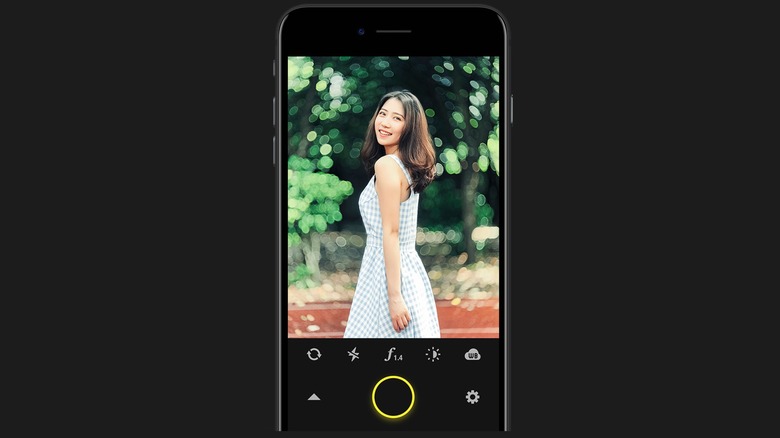
With advanced computational photography and light-field technology, Focos brings DSLR-level photography straight to your iPhone and iPad. It’s not just a photography app; it’s a versatile tool for shooting and editing, even integrating augmented reality (AR) in its library of features. Focos has a unique intuitive interface with helpful tutorials that make it suitable for photographers of all skill levels.
The app stands out because of its DSLR-level bokeh effects, AI-powered depth calculation, and a variety of lens styles that help you capture pro-grade shots. Plus, you can turn any photo into a portrait by adding a beautiful shallow depth effect. Any mistakes you’ve made in shooting can be fixed by the powerful editing features available in Focos.
Adjust 3D depth visualization, refocus your photos, and customize multiple lights to tweak the color, position, and brightness. If you’ve got an Apple Pencil, take your edits to new heights with precise depth map adjustments. And when you’re done, use AR to see how your portrait looks in the real world. Editing isn’t just for the photos you take in Focos, you can take the party to your camera roll too. Focos is free to install from the App Store, but offers In-App purchases for additional features.
Hipstamatic
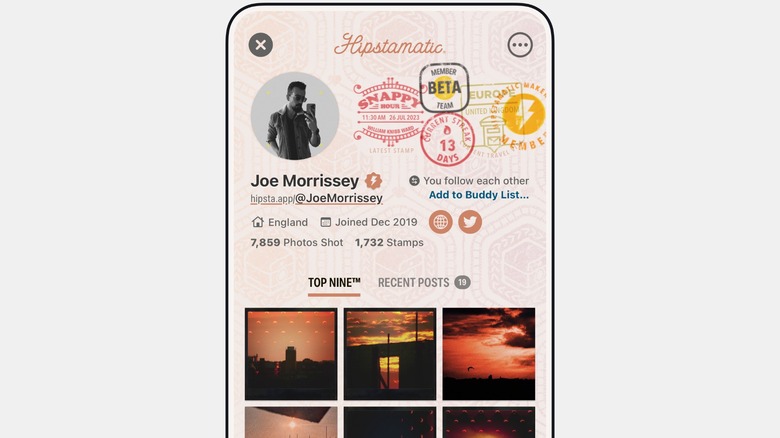
In a world obsessed with perfection, Hipstamatic takes the bold step to be different. For those who can recall the magic of analog cameras and lived through “grainy is a vibe,” Hipstamatic offers a nostalgic trip back to simpler times. And for Gen-Z? (Wait, what Gen are we on again?) — it’s the perfect way to spice up your Instagram feed with classy, retro-inspired pics.
Hipstamatic brings to life the imperfections of analog cameras and pixelated photographs with its trademark HipstaProcess technology. You’re encouraged to live in the moment with spontaneous, unedited captures. For those craving more creativity, dive into over 200 vintage lenses, cameras, presets, and film types to capture memories in all styles imaginable.
And why enjoy Hipstamatic solo when you can join the Hipstamatic Camera Club? It’s an Instagram-inspired community of talented photographers sharing their love for creativity and analog-inspired art. The app is free to download on the iPhone, but you’ll need to purchase a pass for access to the Hipstamatic Camera Club. If you’d rather stick with a real analog option, there are still film cameras worth buying floating around today.
Slow Shutter Cam
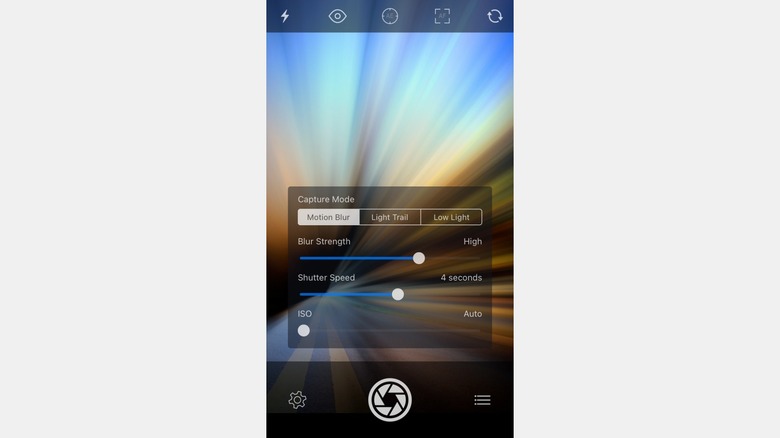
Long exposure photography is an art that used to be possible only with professional cameras. These day’s the native Camera app does have a hidden long-exposure feature, but alternate camera apps like Slow Shutter Cam do it better. If you want to get bragging rights and hear the occasional “that came from an iPhone?” exclamation, you need to master the skill of long exposure shots.
Slow Shutter Cam unlocks a world of creativity for photographers of all skill levels through three primary modes; Motion Blur, Low Light, and Light Trail. With complete control over shutter speed and ISO, you’re free to experiment endlessly. Real-time previews let you see results instantly, and the ability to create layered, multi-exposure photos takes creative madness to new heights. You can also experiment with other advanced controls like the freeze and blur strength, custom time-lapse intervals, and a self-timer to get the perfect hands-free photos.
For a mere $2.99, you can get all this power on your Apple iPhone and the iPad. There’s also a companion Apple Watch app that makes long-exposure photography quite convenient.
Spectre Camera
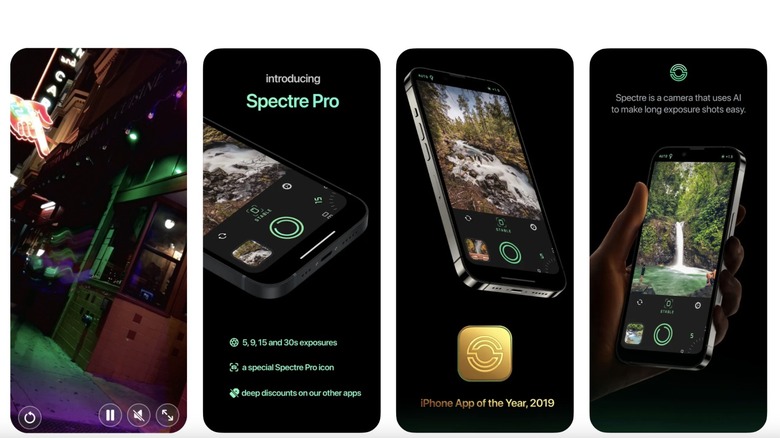
From the minds behind the beloved Halide Mark II and Kino comes Spectre Camera, a gem for long-exposure photographers. With Spectre’s smart AI tools, capturing stunning long exposures is easy as pie. Its sleek, dark UI pairs perfectly with cutting-edge tech to deliver a truly one-of-a-kind experience.
Using advanced AI and computational photography, Spectre Camera removes unwanted crowds, creates stunning light trails and captures beautiful natural effects. With AI-powered long exposures, there’s no need to worry about manual stabilization or exposure, because everything is handled automatically. The AI scene detection makes nighttime photography a breeze, helping you shoot brilliant light trails, cityscapes, and even light painting masterpieces.
The free version of Spectre Camera is limited to 3 second exposures, so you’ll have to get Spectre Pro for all the extra features. While Spectre Camera is similar to Slow Shutter Cam, it is more suited towards users who want to capture stunning night-time photographs without learning advanced controls.
VSCO: Photo & Video Editor
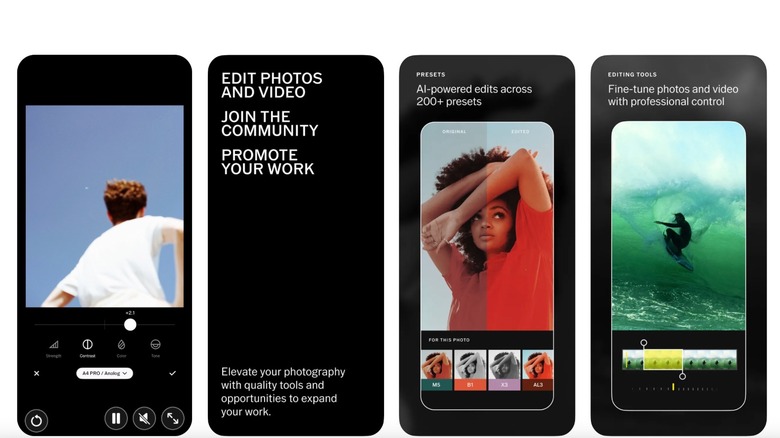
VSCO is more than just an alternate camera app, it’s a gateway into a creative community of photographers that come together to create and share. You may have heard of this app for creating a distinct visual aesthetic that greatly influenced social media. And even though the famous VSCO aesthetic trend of 2019 has passed, the app continues to reign as the go-to alternative camera app for iPhone users.
VSCO comes with a built-in camera for capturing stunning photos, complete with unique effects. But the real magic lies in its powerhouse editing tools that take your photography to new heights. With VSCO’s presets and RAW photo editing, you can perfect your editing recipe and save it as a template to apply it to other photos in your library.
VSCO offers a limited set of features on the free version, so you’ll have to splurge for a membership to get access to premium presets, pro-level tools like HSL, and split tone. You can use VSCO Spaces for collaborating with other creative professionals, share galleries, curate your feed, and much more. It’s the ultimate app to have if you’re looking to network with other creatives in the industry and showcase your work to a new audience.
Party! Disposable Camera
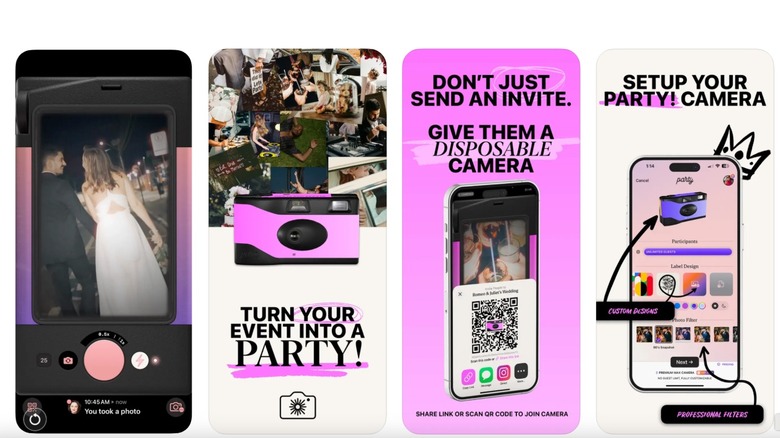
Let’s face it, disposable cameras are a pretty fun concept to integrate into an event, and you’ve probably seen the idea pop up on a reel more than once. You can still hunt down physical disposable cameras, but if you don’t want to, the Party! Disposable Camera app brings the same magic to group events like parties, weddings, and festivals, creating a shared camera experience where every guest can contribute. And the best part? You can’t peek at the results right away. Photos “develop” overnight, bringing back the nostalgic charm of vintage disposable cameras.
To use Party!, all you have to do is set up your event camera, then invite guests to join in using a QR code. You don’t have to worry about privacy because all of the photos are part of a private network that can only be accessed by invited guests of the event. Party is a must have app for any event — think wedding, engagement celebration, baby shower, or even the holiday season. It’s free to download, but offers additional purchases for more features.
Source: http://www.slashgear.com/1782964/best-camera-app-alternatives-iphone/
You may also like

